LinkyGrid Wiki Links
Find every pair of Wikipedia pages that link to each other on today's board.
Every day: A dated board of Wikipedia topics (six on Easy, nine on Hard), the same for everyone that day: draw every pair whose Wikipedia pages link to each other. New puzzle: Midnight in your browser's time zone.
Play Wiki Links on LinkyGridLinkyGrid home with all daily modes
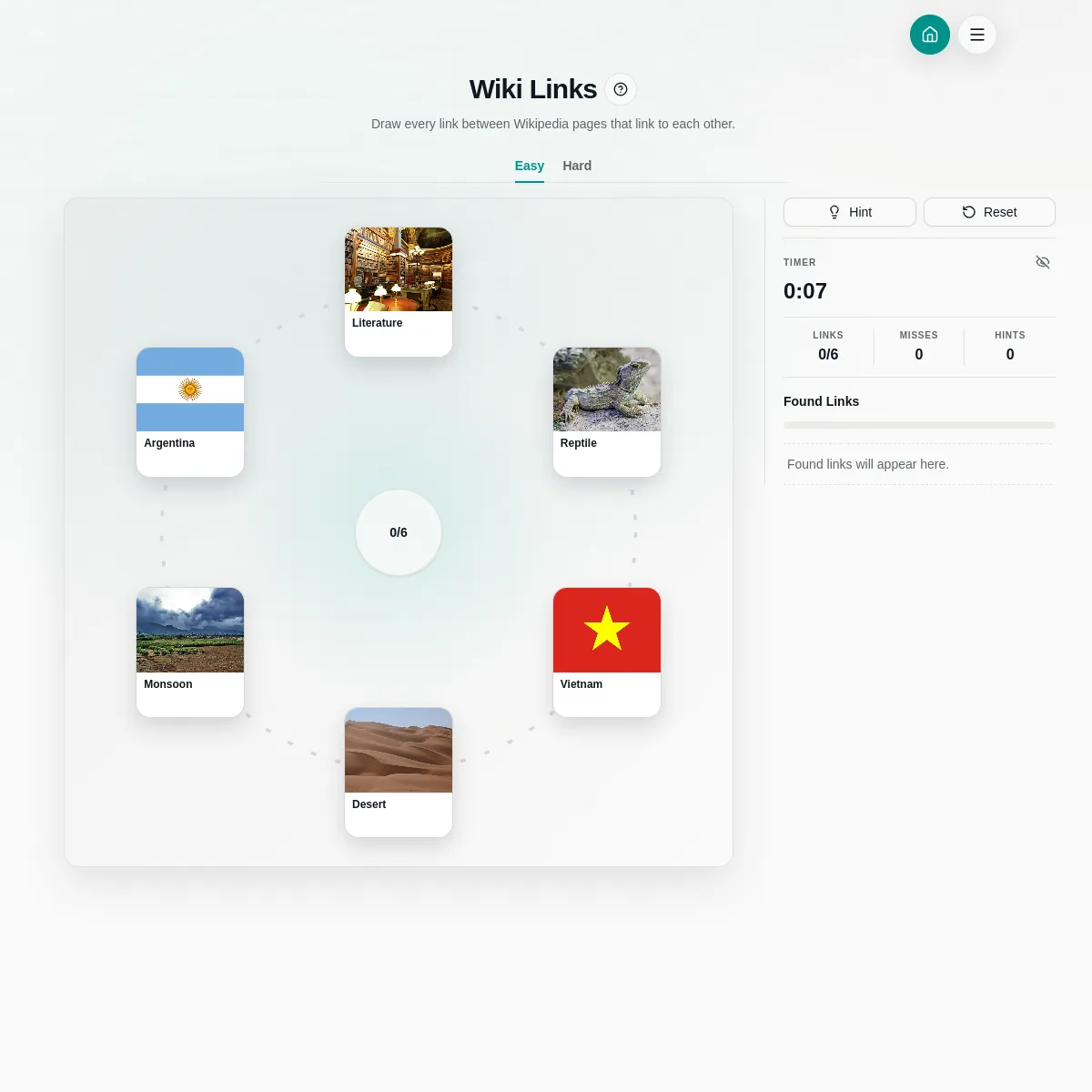
Wiki Links is one of LinkyGrid's daily modes. Each day it lays out a ring of Wikipedia topics, such as Literature, Reptile, Vietnam and Monsoon, and you draw a line between every two whose Wikipedia articles link to one another. There is an Easy hexagon and a Hard nonagon, a timer, hints and a count of misses.
About LinkyGrid Wiki Links
LinkyGrid is a small site of daily connection puzzles, and Wiki Links is its general-knowledge mode. The board shows a ring of picture cards, each one a Wikipedia article, and a counter tells you how many hidden links there are to find. Your job is to find every pair of articles that link to each other on Wikipedia.
Press one card and drag to another to propose a link. A correct pair stays drawn on the board and the found-links panel explains the connection; a wrong pair counts as a miss. Hints are there if you stall, and a timer runs while you play, though it can be hidden. Easy uses six cards in a hexagon and Hard uses nine in a nonagon, and the difficulty is kept in the page address so you can share it.
The board is dated and the same for everyone, with a new set each day based on your browser's time zone. You can play as a guest; signing in adds personal statistics, a history and a streak that can appear on the public leaderboard.
The same site runs sister modes with countries, films, footballers and World Cup players. Wiki Links suits trivia fans who like guessing how far apart topics really are, and anyone who has lost an afternoon following links on Wikipedia.
How to play LinkyGrid Wiki Links
- Open Wiki Links and choose Easy (six cards) or Hard (nine cards).
- Look at the topics and think about which articles would mention each other.
- Press one card and drag to another to draw a link.
- A correct link stays and shows why the pages are connected; a wrong one counts as a miss.
- Find every link in the counter to finish, using hints if you get stuck.
Screenshots

Tips
- Countries link to many things: start with geography and climate topics.
- Broad topics such as Literature or Desert often link to each other more than to specific ones.
- Wikipedia links have to go both ways, so ask whether each article would plausibly mention the other.
- Hide the timer if you want a slower game.
Questions
Is the Wiki Links board the same for everyone?
Yes. Each board is dated, and LinkyGrid publishes a fresh set daily, selected by your browser's time zone.
Do I need an account?
No. Guests can play; signing in adds stats, history and a streak on the leaderboard.
What changes between Easy and Hard?
Easy uses six cards in a hexagon and Hard nine cards in a nonagon, with more links to find.
Games like LinkyGrid Wiki Links

Rabbit Hole
A daily race through Wikipedia links

Connections
The daily puzzle about finding what links a set of items

Chain Reaction
A daily trivia chain where each answer leads to the next

Geo Connections
A daily geography connection puzzle

CineLinkr
Link films and actors in a daily chain, like LinkyGrid's film modes
The Wiki Game Daily
Click from one Wikipedia article to another using only the links, once a day.
Catfishing
Guess the Wikipedia article from nothing but the list of categories it sits in.
Filmclues
Sort sixteen film tiles into four hidden groups of four.